ISP: Thesis work
The Thesis work page in a doctoral student’s ISP is used to plan and follow up on the doctoral student’s thesis work.
The page is divided into different panels where you can add or change information. The panels are described below.
Summary
Here you enter basic information about the thesis. It is possible to attach a file in PDF format.
Planning and follow-up
Click Edit information to add a note about how planning and follow-up should be carried out.
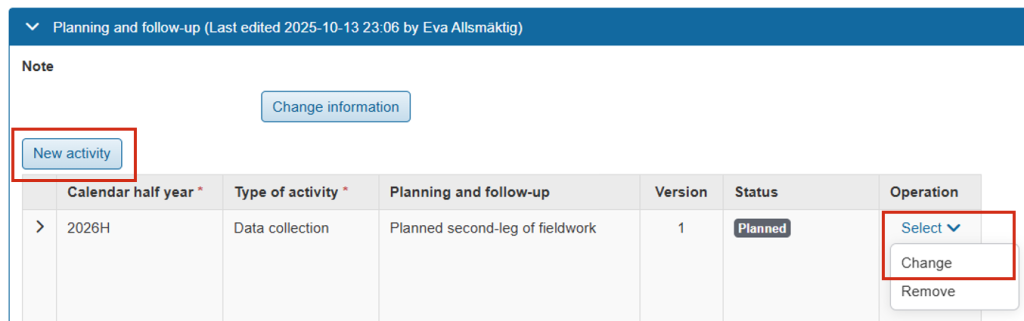
Click New activity to add activities that are planned or have been carried out as part of the thesis work. Specify:
- Calendar half-year
- Type of activity: Select a type from the list or select Optional text to write your own
- Planning and follow-up: Write what the doctoral student plans or a follow up on the activity.
- Progression can be specified at some universities.
- Status: select Planned, Ongoing, Partially completed, Completed, or Not completed
The activities can be changed as more information becomes available. Click Select → Change on the row for an activity to change it.
Part of thesis work
This panel is only available at some universities.
Here you add the parts that make up the thesis. This could, for example, be an article or conference paper in the case of a compilation thesis. For a monograph, it is usually chapters.
All parts of the thesis work are listed on the page to provide an overview. Click on a part to get more information about it or to edit it.
Click New part of thesis work to create a new part. Each part is managed on its own page where you can:
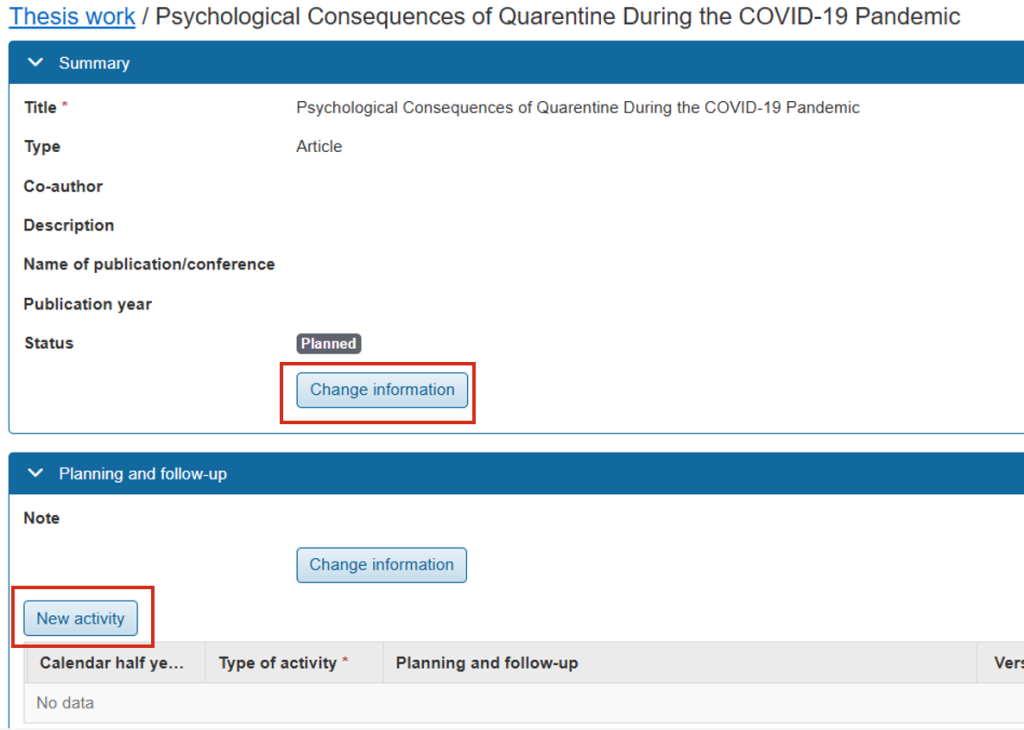
- Click Edit information in the Summary panel to add information and status for this entire part of the thesis work.
- Click New activity to add a new activity carried out as part of this part of the thesis work. You can add a status for each activity.
Ethical consierations
Here you enter information about ethical approvals or considerations.
You can:
- Add a description of the ethical approval or consideration
- Attach PDF files; for each file you can add a descriptive text and a reference number