ISP: Timeline
The Timeline page in a doctoral student’s ISP provides an overview of what has been planned and completed during the education, half-year by half-year.
The information on the page is automatically retrieved from the other tabs in the ISP and cannot be edited directly here.
The following is shown in the timeline
- Milestones in third-cycle studies: Planned or completed
- Study activity and funding: Planned or reported
- Supervisor conversation: Type of meeting and date
- Thesis work: Planned and completed activities
- Part of thesis work: Part of thesis work is listed if there are planned activities within the calendar half-year. The activities are listed under the respective part of the thesis work.
- Courses and conferences: Planned or completed. Unsorted certified results are not shown.
Note on the timeline
It is possible to add notes in the timeline, for example by the principal supervisor and doctoral student. The note is visible to everyone who can see the individual study plan.
Notes are part of the ISP and are included in the finalized version of the ISP.
- Click Change information in the panel for a calendar half-year
- Write or change a note

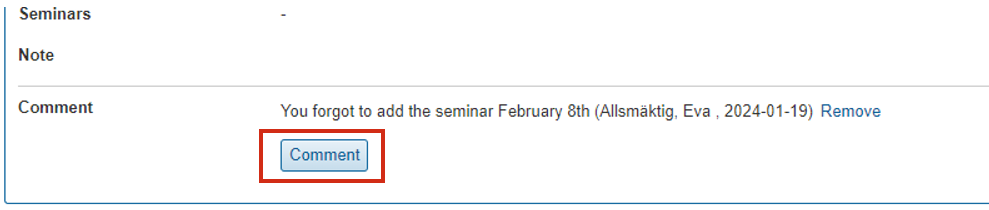
Comment on the timeline
Other people can comment on the timeline, for example a reviewer. Comments are a working tool when the timeline is being developed and are not included in the finalized version of the ISP. The comment is visible to everyone who can see the individual study plan.
When the version is finalized, all comments are automatically cleared.
- Click Comment in the panel for a calendar half-year
- Write a comment
Only the user who writes a comment can delete it. It is not possible to change comments.